Free ATS Resume Checker – Optimize Your Resume & Get More Interviews
Check your resume with our free ATS Resume Checker. Analyze keywords, improve resume formatting, identify ATS compatibility issues, and optimize your CV for better job opportunities.

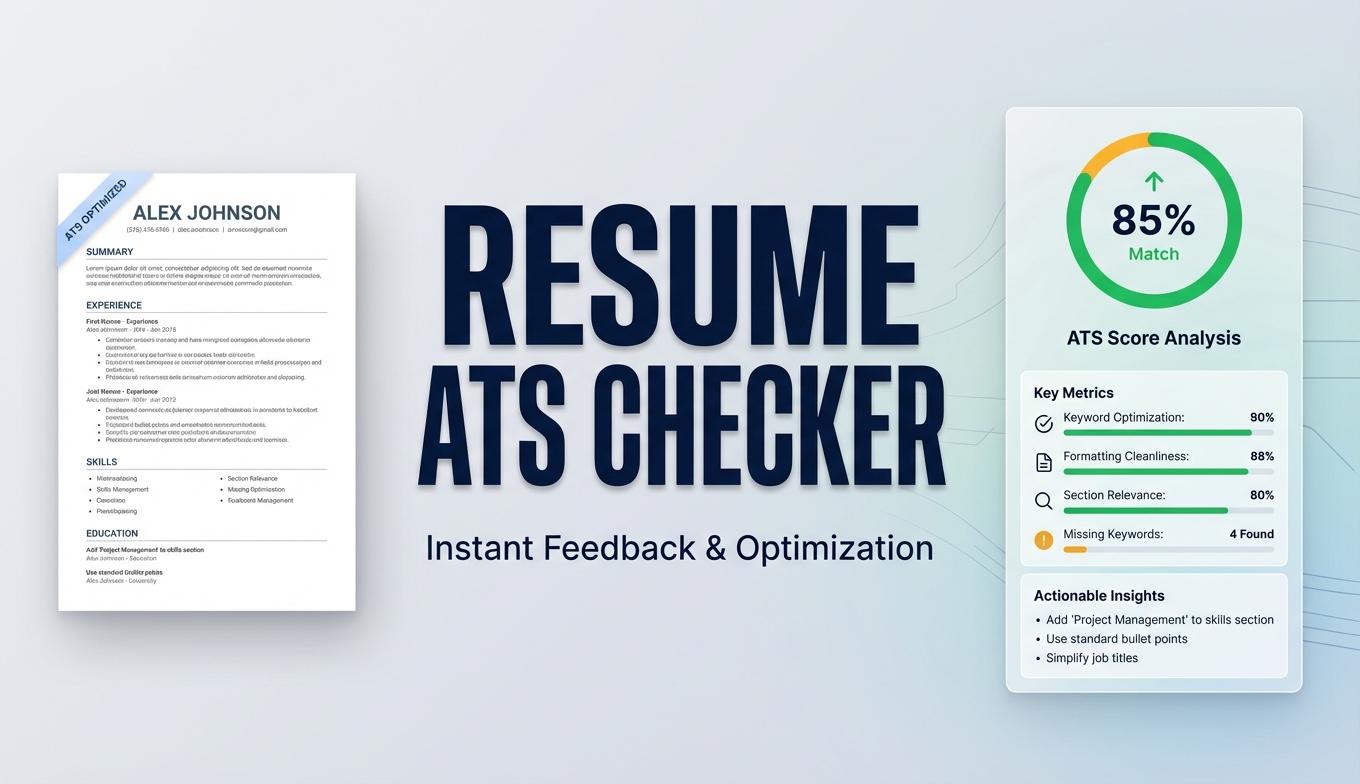
Free ATS Resume Checker: Optimize Your Resume and Get More Interviews
Are you applying for jobs but rarely receiving interview calls? Your skills and experience might be excellent, but your resume could be getting lost during the initial screening process.
Many companies use Applicant Tracking Systems (ATS) to organize job applications, extract candidate information, and help recruiters identify relevant applicants. If your CV contains complicated formatting, missing keywords, or unclear work experience, the software may struggle to interpret important information.
The good news? You can identify many common resume issues before applying.
With the 360tools.me Free ATS Resume Checker, you can analyze your resume, review keyword coverage, identify formatting problems, and improve your CV for modern recruitment systems.
Whether you are a fresh graduate, software developer, experienced professional, freelancer, or job seeker, optimizing your resume is an important step toward a successful job search.
What Is an Applicant Tracking System (ATS)?
An Applicant Tracking System is recruitment software used by employers and HR departments to manage job applications.
Recruiters may use ATS platforms to:
- Collect and organize incoming resumes.
- Extract candidate information and employment history.
- Identify relevant skills and qualifications.
- Search applications using job-related keywords.
- Manage candidate screening and recruitment workflows.
An ATS does not necessarily reject every resume that fails to match a particular keyword. Different employers configure their recruitment systems differently, and many hiring decisions still involve human recruiters.
However, making your resume easy to read and relevant to the advertised position can improve your application quality.
What Is an ATS Resume Checker?
An ATS Resume Checker is an online resume analysis tool that helps job seekers evaluate their CV before submitting a job application.
A resume scanner can help identify potential problems related to:
- Missing industry-specific keywords.
- Poor resume structure.
- Inconsistent formatting.
- Unclear section headings.
- Important skills that are not highlighted.
- Readability and document organization.
Instead of manually checking every section, an online ATS compatibility checker gives you a convenient starting point for improving your resume.
Check Your Resume with Our Free ATS Resume Checker
Ready to improve your CV?
Use our free online ATS Resume Checker to review your resume and identify areas that may need improvement.
How to use the tool:
- Open the 360tools.me ATS Resume Checker.
- Upload your resume using the file upload option.
- Allow the tool to analyze your resume.
- Review the ATS compatibility score and keyword analysis.
- Check the formatting feedback and suggested improvements.
- Update your resume and analyze it again if needed.
The tool is designed to make resume optimization easier without requiring complicated software or manual analysis.
Start here: Check Your Resume for Free
Important Features of Our ATS Resume Checker
1. Resume Keyword Analysis
Keywords are important because recruiters often search for specific qualifications, technologies, skills, and job titles.
For example, a software developer job description might mention:
- Python
- Django
- ASP.NET Core
- REST API
- SQL Server
- JavaScript
- Git
- Software Development
Your resume should accurately reflect the relevant skills you actually possess.
Our resume analysis tool helps you identify keyword coverage and areas where your professional experience could be communicated more clearly.
2. ATS Compatibility Score
Understanding your resume's compatibility can help you identify potential weaknesses.
A resume score provides an at-a-glance indication of areas that may need attention. Use it as a diagnostic reference rather than a guarantee of passing an employer's screening process.
3. Resume Formatting Analysis
A professional-looking resume is not always an ATS-friendly resume.
Some complex document layouts can make it harder for recruitment software to extract information correctly.
Consider these best practices:
- Use a clean, single-column layout.
- Choose standard fonts such as Arial or Calibri.
- Use recognizable section headings.
- Keep contact information in the main document body.
- Avoid unnecessary graphics and decorative elements.
- Use consistent spacing and bullet points.
- Keep your employment dates and job titles easy to identify.
4. Instant Resume Feedback
Manually reviewing a CV can take time.
A resume checker helps you quickly identify areas that deserve attention, including keyword coverage, document structure, and formatting.
You can use the feedback to make improvements before submitting your next application.
How to Make Your Resume ATS-Friendly
Want to improve your chances of getting noticed by recruiters? Follow these practical resume optimization techniques.
Use Keywords from the Job Description
Every job position has different requirements.
Read the job description carefully and identify the skills, qualifications, technologies, and responsibilities mentioned by the employer.
For example, if a job requires an ASP.NET Core developer with SQL Server experience, your resume should clearly describe your relevant ASP.NET Core and SQL Server experience.
Never add skills you do not actually possess just to increase a resume score.
Choose a Simple Resume Format
Avoid unnecessary visual elements that could interfere with document parsing.
A simple structure might look like this:
- Professional Summary
- Technical Skills
- Work Experience
- Projects
- Education
- Certifications
Use a consistent structure throughout your document.
Write Achievement-Based Experience
Instead of writing generic responsibilities, explain what you accomplished.
Weak example:
Worked on web development projects.
Better example:
Developed ASP.NET Core Web APIs and integrated SQL Server databases to support enterprise business applications.
Where possible, include measurable results that you can genuinely support.
Use Standard Section Headings
Recruitment software may rely on familiar headings to identify information.
Prefer conventional headings such as:
- Work Experience
- Education
- Technical Skills
- Professional Summary
- Certifications
Avoid overly creative headings that could make important information difficult to identify.
Select the Correct File Format
Follow the file-format instructions in the employer's application portal.
PDF and DOCX are common resume formats, but supported formats can vary between recruitment platforms.
Always check that your exported PDF contains selectable text rather than just a scanned image.
Common ATS Resume Mistakes to Avoid
Even experienced professionals can make resume mistakes that affect readability.
| Common mistake | Recommended improvement |
|---|---|
| Complex multi-column layout | Use a simple layout |
| Missing job-related skills | Add relevant, truthful keywords |
| Unclear job titles | Use standard professional titles |
| Contact details inside graphics | Keep details in the document body |
| Excessive decorative elements | Choose a clean design |
| Inconsistent employment dates | Use one date format |
| Generic professional summary | Tailor it to the position |
| Spelling and grammar errors | Proofread before applying |
Remember that your resume must work for both recruitment software and human recruiters.
Best Resume Keywords for Different Industries
Resume keywords should always match your actual qualifications and the position you are targeting.
Here are examples of relevant keyword groups.
Software Development
.NET, C#, ASP.NET Core, Python, Django, JavaScript, React, REST API, SQL Server, PostgreSQL, Git, Docker, Backend Development, Full Stack Development.
Digital Marketing
SEO, Google Analytics, Google Ads, Content Marketing, Keyword Research, PPC, Social Media Marketing, Conversion Optimization, Email Marketing.
Accounting and Finance
Financial Reporting, Accounts Payable, Accounts Receivable, Financial Analysis, Budgeting, Tax Compliance, Payroll Processing, Microsoft Excel.
Project Management
Agile, Scrum, Project Planning, Risk Management, Stakeholder Management, Resource Allocation, Project Coordination, Reporting.
Data Analysis
SQL, Python, Excel, Power BI, Tableau, Data Visualization, Statistical Analysis, Data Cleaning, Business Intelligence.
Use only the keywords that genuinely describe your experience and skills.
Free Resume Optimization Tools on 360tools.me
Improving your resume is only one part of preparing a professional job application.
Explore other useful online tools available on 360tools.me:
- ATS Resume Checker – Analyze your resume and identify potential ATS issues.
- PDF Tools – Explore tools for working with PDF documents.
- Image Tools – Optimize and work with digital images.
- Developer Tools – Discover useful utilities for developers and technical professionals.
Our goal is to provide accessible, convenient, and practical online tools that help users complete everyday digital tasks.
Frequently Asked Questions (FAQs)
Is the ATS Resume Checker free?
Yes, the 360tools.me ATS Resume Checker is available as a free online tool. Visit the tool page to start analyzing your resume.
What is a good ATS resume score?
There is no universal ATS score accepted by every employer. Different recruitment systems use different configurations, criteria, and screening workflows. Treat an online score as a guide for improving your resume rather than an official hiring result.
Can an ATS read PDF resumes?
Many recruitment platforms support PDF resumes, although the exact supported formats depend on the employer's software and configuration. Always follow the application instructions.
How can I improve my ATS resume score?
Start by matching your resume to the job description, using relevant skills and keywords naturally, improving document readability, and organizing your experience under standard headings.
Are two-column resumes ATS-friendly?
Some systems can process certain multi-column layouts, but complex columns, tables, and text boxes may cause parsing problems. A simple single-column format is generally a safer choice.
Should I use the same resume for every job?
It is better to maintain a master resume and create tailored versions for relevant job applications. Highlight the experience and skills most closely related to each position.
Does a high ATS score guarantee an interview?
No. A resume score cannot guarantee an interview, job offer, or successful ATS screening. Employers also consider experience, qualifications, competition, and their individual recruitment criteria.
Is an ATS-friendly resume also suitable for human recruiters?
Yes. A well-structured resume with clear headings, readable formatting, relevant experience, and concise achievements is useful for both automated document processing and human review.
Final Thoughts: Build a Better Resume and Apply with Confidence
Your resume is often the first opportunity to communicate your professional value to an employer.
A well-organized, relevant, and readable CV can make it easier for recruiters to understand your qualifications and experience.
Instead of sending the same generic resume to every employer, take a few minutes to review the job requirements, improve your keywords, and check your document formatting.
Use the Free ATS Resume Checker by 360tools.me to analyze your resume and identify opportunities for improvement.
Create a stronger first impression. Optimize your resume. Move forward with confidence.
Additional Resources and References
For more reliable information about ATS systems and professional resume writing, explore these resources:
- University of Texas at Austin – Applicant Tracking Systems – Guidance on resume keywords, ATS-friendly formatting, and tailoring applications.
- University of Pennsylvania – Resume and CV Guidance – Professional resume formatting and career guidance.
- Greenhouse – Why Didn't the Candidate's Resume Import Correctly? – Official documentation about resume parsing issues.
- University of Connecticut – Applicant Tracking Systems – Practical advice on resume keywords and document structure.
External resources are provided for educational purposes. 360tools.me is an independent online tools platform and is not affiliated with these organizations.
Free ATS Resume Checker
Use our 100% private, client-side online tool directly in your browser. No signup or download required.